



Since its establishment, Argede Information Technologies has been working tirelessly to become one of the windows to the world in the field of software, specifically in Website and Portal Solutions, leveraging its accumulated experience and knowledge.
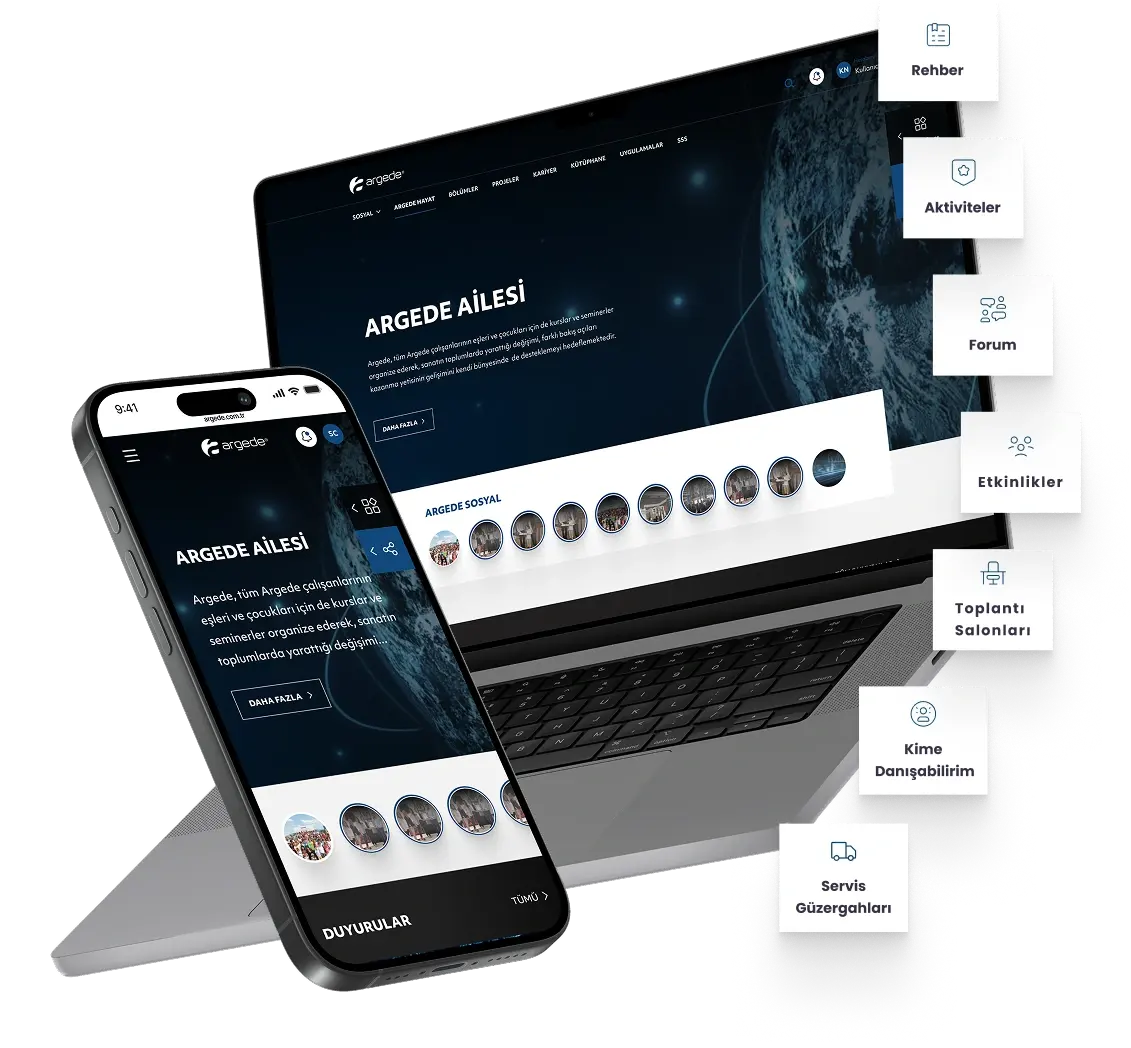
Digitizing your business processes increases your company's efficiency, speed, and accuracy. This platform offers powerful tools and modules to help businesses manage their workflows seamlessly and error-free. DijitAR accelerates your digital transformation process, enabling you to strengthen your competitive advantage and establish a more efficient operational structure.
- We offer customizable business-to-business (B2B) platforms for wholesalers, manufacturers, and suppliers.
- We offer tools that simplify business-to-business operations such as bulk order management, custom pricing, and customer account management.
- We provide strong integrations for supply chain management and collaboration.
We are putting an end to traditional methods in the corporate development process. No more taking notes on paper, writing daily plans, or forgetting tasks.
If you are a manager, with the Project Management System, you can track the tasks your employees have done and will do during the day from a single source. You can see the time spent per task and generate reports.
If you are an employee, with the Project Management System, you can set your schedule and carry out your work in an organized manner. This system eliminates the hassle of daily reporting, ensuring every task you complete is recorded with your effort.
PYS aims to help you manage your projects in a healthy and organized manner. Tracking revisions will no longer be a problem.
- The Projects module is where you can view your current projects.
- You can view the total tasks for projects and the project manager.
- You can view tasks opened for the project in detail as “Pending”, ‘Completed’ and “In Pool”. (A task in the pool is a task that has not been assigned to a specific user, but can be taken on by any user who wants to.)
- The Customers module represents the owner of the opened projects.
- You can add the project manager of your client company to this field as a “Representative”.
- In this module, you can add new customers, delete existing customers, or update them.
- The Users module is where your team within the organization is located.
- In this module, you can add, delete, change passwords, or update information for users.
- You can grant permissions to your users or restrict their permissions.
- The Tasks module lists the tasks associated with projects.
- In this module, each user can only view their own tasks.
- The Super Admin, however, has full control over the system and can view every project in detail.
- The administrator can view the project name, task title, task priority, task status, task creator, task owner, deadline, and effort in detail in this module.
- The task plans module is where the user lists their prioritized tasks.
- In this module, tasks sorted by the user based on their work and workflow status operate according to the “Start the next one when this one is complete” logic.
- In this module, the user can continue working within the schedule using the “Pause Task” option.
There are 5 different pause reasons that automatically appear in this field.
- Another task has been started,
- Not started,
- Work Paused,
- Waiting for Feedback,
- End of Shift.
In this module, new pause reasons can be added, existing reasons can be deleted or updated.
The performance reports module displays the total number of tasks for team members, completed and open tasks, average completion times, and the number of projects assigned to each user.
In this module, project tasks are listed in a table and displayed graphically.
- Another task has been started,
- Not started,
- Work Paused,
- Waiting for Feedback,
- End of Workday.
- The general reports module lists projects and tasks on a daily, weekly, and monthly basis.
- This module allows customer and project-based searching and filtering.
- In this module, the user can continue their work within the schedule using the “Pause Task” option.
There are 5 different pause reasons that appear automatically in this field.
- Blue ; In the pool
- In this module, customer and project-based searches and filtering can be performed.
- Green ; Started
- Green ; Started
- Pink ; Paused
- The Projects Gantt module displays project deadlines.
- This module allows for general listing or filtering.
- You can view past, ongoing, and future projects in this area using the calendar structure.
- This module allows team members using the Developer module system to view all tasks assigned to them.
- Tasks, color-coded according to priority, can be moved using the “Start”, ‘Finish’, or “Pause” commands to report actual effort.
- In this area, the user can easily navigate using the “Project Priority,” “Task Priority,” and “Task Status” filters.
During the institutionalization process of companies, we collect data in a single source using the Meeting Management System.
Taking notes, planning, and organizing your next meeting is quite easy with TYS. Set your calendar and create order. Get ahead of your disorganized competitors with the Meeting Management System.
Let TYS guide you through the digital evolution of the global world!
- The Calendar module displays meetings and tasks.
- Meetings scheduled for the day are listed in this module.
- Tasks created during meetings are integrated with PYS and appear in this area.
The new meeting module is where instant or pre-scheduled meetings are opened.
- Meeting Name,
- Meeting Type,
- Meeting Location,
- Meeting Moderator,
- Meeting Date,
- Meeting Date,
- Meeting Location,
- Prepared by,
- Meeting Participants,
- External Participants
- Persons to be Informed,
- Meeting Agenda,
This module in the meeting type management module specifies the reasons for the meetings that have taken place.
In this module, one of the existing meeting types can be used or a new meeting type can be added.
The existing meeting types are as follows;
- New Project Meeting,
- Test Meeting,
- Meeting with Customer Request,
- Weekly Team Meeting,
- Ongoing Project Meeting,
- Monthly Team Meeting.
The meeting location module specifies where or on which platform the meeting will take place.
In this module, one of the existing meeting locations can be used or a new meeting location can be added.
The existing meeting locations are as follows;
- Webex,
- Meeting Room,
- Microsoft Teams.
- The Topic Status module contains information about the final status of the meeting.
- This module displays the meeting status, indicating whether it is completed, ongoing, or an urgent meeting.
- You can use the available topic statuses or add a new topic status.
- The Topic Status module contains information about the final status of the meeting.
- You can select meetings held at your office, the customer's office, or online from here.
- You can use existing meeting locations or add new meeting locations.
- In the All Actions module, actions taken for meetings specified by number and ID are displayed.
- In this module, an instant report is created using the “Create New Report” button. The created report is visible in the notifications section and can be downloaded.
- The listed meetings can be exported as Excel and PDF documents. They can be printed from this area.
- All meetings can be viewed and edited here.
- The Meeting List module displays all meetings.
- In this module, you can create instant reports using the “Create New Report” button. The created report is visible in the notifications section and can be downloaded.
- You can search for and edit meetings.
- You can retrieve and share meeting data using the “Transfer All” button.
- The Tasks Module displays tasks assigned to you during completed meetings.
- In this module, you can export your tasks in Excel and PDF formats.
- You can search for and organize meetings.
- You can retrieve and share meeting data using the “Transfer All” button.
Digital Process Efficiency Integrated Management Systems
Risk Analysis is an evaluation process that identifies any event that could negatively impact organizations. Conducting a risk analysis aims to protect the interests of organizations during process management. By anticipating potential issues, necessary precautions, and financial matters through Risk Analysis, the process is initiated. Through analysis, risks and the balance of risk mitigation are maintained. Risk Management is the process of identifying, assessing, and managing risks to ensure the achievement of organizational objectives. It involves identifying potential risks, assessing their likelihood and impact, and implementing measures to mitigate or eliminate them. Risk Management helps organizations maintain their strategic objectives and achieve their goals.
- Identify your risks, assess them, and create action plans to manage them.
In the Feasibility Management module, items related to feasibility analysis types can be added, updated, and deleted.
Easily manage the locations where resources and assets are used.
Manage all your project and risk analysis documents securely from a single hub.
Digital Process Efficiency Integrated Management Systems
Risk Analysis is an evaluation process that identifies any event that could negatively impact organizations. Conducting a risk analysis aims to protect the interests of organizations during process management. By anticipating potential issues, necessary precautions, and financial matters through Risk Analysis, the process is initiated. Through analysis, risks and the balance of risk mitigation are maintained. Risk Management is the process of identifying, assessing, and controlling risks to ensure the achievement of organizational objectives. It involves identifying potential risks, assessing their likelihood and impact, and implementing measures to mitigate or eliminate them. Risk Management helps organizations maintain their strategic objectives and achieve their goals.
Identify your risks, assess them, and create action plans to manage them.
In the Feasibility Management module, items related to feasibility analysis types can be added, updated, and deleted.
Easily manage the locations where resources and assets are used.
Manage all your project and risk analysis documents securely from a single hub.
Digital Process Efficiency Integrated Management Systems
Risk Analysis is an evaluation process that identifies any event that could negatively impact organizations. Conducting a risk analysis aims to protect the interests of organizations during process management. By anticipating potential issues, necessary precautions, and financial matters through Risk Analysis, the process is initiated. Through analysis, risks and the balance of risk mitigation are maintained. Risk Management is the process of identifying, assessing, and controlling risks to ensure the achievement of organizational objectives. It involves identifying potential risks, assessing their likelihood and impact, and implementing measures to mitigate or eliminate them. Risk Management helps organizations maintain their strategic objectives and achieve their goals.
- Identify your risks, assess them, and create action plans to manage them.
In the Feasibility Management module, items related to feasibility analysis types can be added, updated, and deleted.
Easily manage the locations where resources and assets are used.
Manage all your project and risk analysis documents securely from a single hub.
Digital Process Efficiency Integrated Management Systems
Risk Analysis is an evaluation process that identifies any event that could negatively impact organizations. Conducting a risk analysis aims to protect the interests of organizations during process management. By anticipating potential issues, necessary precautions, and financial matters through Risk Analysis, the process is initiated. Through analysis, risks and the balance of risk mitigation are maintained. Risk Management is the process of identifying, assessing, and controlling risks to ensure the achievement of organizational objectives. It involves identifying potential risks, assessing their likelihood and impact, and implementing measures to mitigate or eliminate them. Risk Management helps organizations maintain their strategic objectives and achieve their goals.
- Identify your risks, assess them, and create action plans to manage them.
In the Feasibility Management module, items related to feasibility analysis types can be added, updated, and deleted.
Easily manage the locations where resources and assets are used.
Manage all your project and risk analysis documents securely from a single hub.
Digital Process Efficiency Integrated Management Systems
Risk Analysis is an evaluation process that identifies any event that could negatively impact organizations. Conducting a risk analysis aims to protect the interests of organizations during process management. By anticipating potential issues, necessary precautions, and financial matters through Risk Analysis, the process is initiated. Through analysis, risks and the balance of risk mitigation are maintained. Risk Management is the process of identifying, assessing, and controlling risks to ensure the achievement of organizational objectives. It involves identifying potential risks, assessing their likelihood and impact, and implementing measures to mitigate or eliminate them. Risk Management helps organizations maintain their strategic objectives and achieve their goals.
- Identify your risks, assess them, and create action plans to manage them.
In the Feasibility Management module, items related to feasibility analysis types can be added, updated, and deleted.
Easily manage the locations where resources and assets are used.
Manage all your project and risk analysis documents securely from a single hub.